

Schema.org for AI engines: the JSON-LD types that actually get cited
Not every schema type helps your site get cited by AI answer engines. A practical short-list of six JSON-LD types that drive citation share in ChatGPT, Perplexity, Gemini, and Google AI Overviews, with copy-paste examples.
The short answer
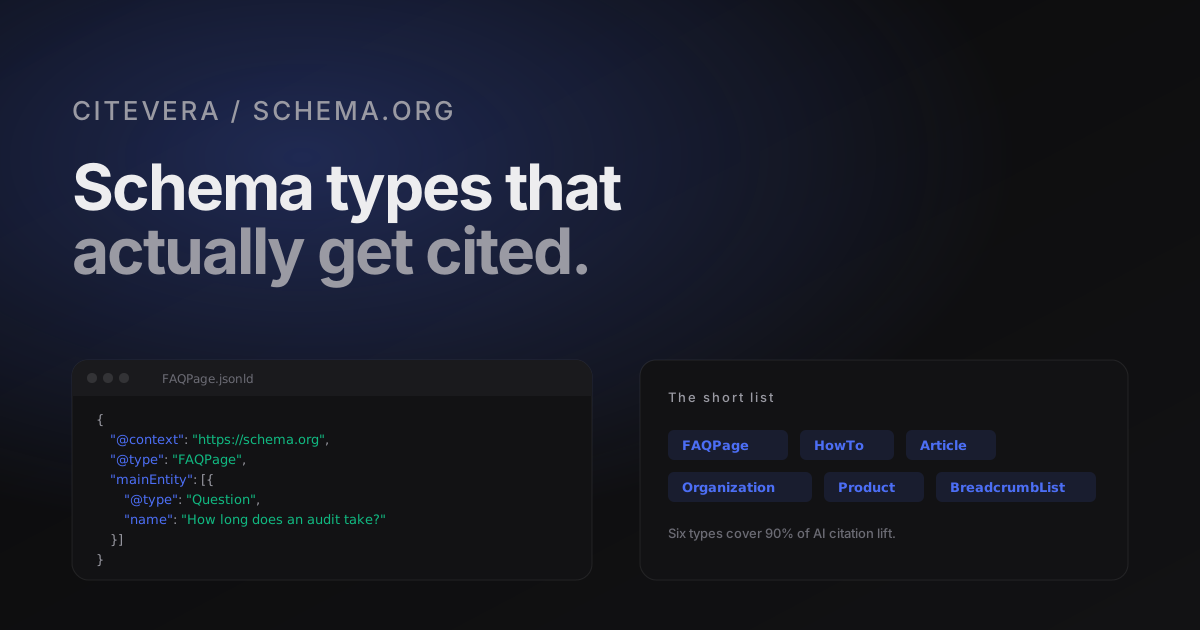
Schema.org is a big vocabulary with hundreds of types. In 2026 only six of them meaningfully move AI citation rates: FAQPage, HowTo, Article (or BlogPosting), Organization, Product with Offer, and BreadcrumbList. Implementing those well on the right pages does more for citation share than implementing a long tail of obscure types halfheartedly across the whole site.
This post walks through each of the six, explains the minimum viable fields, shows copy-paste JSON-LD, and lists the types that are usually noise.
Why schema matters more for AI than it did for Google
Classic SEO used schema primarily for rich results - stars, prices, breadcrumbs rendered in the SERP. The markup had a cosmetic job. AI answer engines use schema for something more fundamental: they use it as an extraction shortcut. Instead of parsing the visible page and trying to infer whether a block is an FAQ, the engine reads the FAQPage block and lifts the question/answer pairs directly.
When the engine is arbitrating between two sources - say, your pricing page and a competitor's - having Product + Offer schema with a parseable price is the signal that says "this page is structured; quote it". Without schema, the engine falls back to heuristics, which favour whichever page has the cleanest visible structure. Schema removes the heuristic coin flip.
The six types that matter
FAQPage
The single highest-leverage type for AEO. AI answer engines quote FAQ answers disproportionately because the question-answer pairing matches the query-response shape they are producing.
Use on FAQ pages, pricing pages with objection-handling Q&A, and long articles where the page naturally contains three or more genuine Q&A pairs.
<script type="application/ld+json">
{
  "@context": "https://schema.org",
  "@type": "FAQPage",
  "mainEntity": [
    {
      "@type": "Question",
      "name": "How long does a Citevera audit take?",
      "acceptedAnswer": {
        "@type": "Answer",
        "text": "Typical audits complete in 30 to 90 seconds."
      }
    },
    {
      "@type": "Question",
      "name": "Is the free tier rate-limited?",
      "acceptedAnswer": {
        "@type": "Answer",
        "text": "Yes. Three scans per IP per 24 hours on the free tier."
      }
    }
  ]
}
</script>
Pitfall: do not mark a page as FAQPage if the visible page has no FAQ block. Answer engines detect the mismatch and discount the markup on that domain going forward. If you want the schema, ship the visible FAQ first.
HowTo
Use on step-by-step guides. Every step needs a name and text. Optional but helpful: image, totalTime, tool, supply, estimatedCost.
<script type="application/ld+json">
{
  "@context": "https://schema.org",
  "@type": "HowTo",
  "name": "Generate an llms.txt for your site",
  "totalTime": "PT5M",
  "step": [
    { "@type": "HowToStep", "name": "Run a Citevera audit", "text": "Submit your URL at scan.citevera.com." },
    { "@type": "HowToStep", "name": "Copy the generated llms.txt", "text": "Open the Generated Artifacts section." },
    { "@type": "HowToStep", "name": "Publish at /llms.txt", "text": "Upload to your site root and serve as text/plain." }
  ]
}
</script>
Article (or BlogPosting)
Use on every long-form piece. Include author, datePublished, dateModified, headline, description, and ideally image. Perplexity and other answer engines use dateModified to decide whether to cite your piece over an older one. Keep it current when you revise.
<script type="application/ld+json">
{
  "@context": "https://schema.org",
  "@type": "BlogPosting",
  "headline": "Schema.org for AI engines",
  "description": "The six JSON-LD types that move citation rates.",
  "author": { "@type": "Organization", "name": "Citevera" },
  "datePublished": "2026-04-05",
  "dateModified": "2026-04-05",
  "image": "https://citevera.com/blog/schema-org-for-ai-engines.svg"
}
</script>
Organization
Use on the homepage, plus as a shared reference on every other page via @id. Include name, url, logo, sameAs (your social and platform profiles), and, if relevant, foundingDate and numberOfEmployees. This is how entity graphs inside AI products learn who you are - and whether to trust a citation to you.
<script type="application/ld+json">
{
  "@context": "https://schema.org",
  "@type": "Organization",
  "@id": "https://citevera.com/#org",
  "name": "Citevera",
  "url": "https://citevera.com",
  "logo": "https://citevera.com/logo.png",
  "sameAs": [
    "https://twitter.com/citevera",
    "https://github.com/citevera"
  ]
}
</script>
Product + Offer
Use on pricing and product pages. Include price, priceCurrency, availability, and ideally priceValidUntil. AI Overviews sometimes quote current prices directly from this markup, which means a stale price is worse than no price at all.
<script type="application/ld+json">
{
  "@context": "https://schema.org",
  "@type": "Product",
  "name": "Citevera Growth",
  "description": "AI search readiness monitoring for 5 sites.",
  "offers": {
    "@type": "Offer",
    "price": "79",
    "priceCurrency": "USD",
    "availability": "https://schema.org/InStock"
  }
}
</script>
BreadcrumbList
Small effort, surprisingly large help for navigation rendering in AI answer pages. Use across all template pages with three or more levels of hierarchy.
<script type="application/ld+json">
{
  "@context": "https://schema.org",
  "@type": "BreadcrumbList",
  "itemListElement": [
    { "@type": "ListItem", "position": 1, "name": "Home", "item": "https://citevera.com/" },
    { "@type": "ListItem", "position": 2, "name": "Blog", "item": "https://citevera.com/blog" },
    { "@type": "ListItem", "position": 3, "name": "Schema.org for AI engines" }
  ]
}
</script>
Types that are usually noise
SoftwareApplication can help for specific software categories but is overkill for most sites. Thing, CreativeWork, and many deep sub-types are technically valid but rarely move the needle. Event, Recipe, Course, and the other vertical types are powerful inside their verticals and irrelevant outside them - use if you run an events, recipes, or courses site; skip otherwise.
If you are optimising time and impact, the six types above cover 90 percent of the value. Adding more rarely hurts, but it rarely helps either, and it adds maintenance cost every time your structure changes.
Implementation pattern
Inline JSON-LD in a <script type="application/ld+json"> block in the page head. One block per type per page is cleanest. Avoid @graph merges on pages that do not need them - every parser handles flat blocks; not every parser handles the graph format gracefully.
If you are already using Yoast, RankMath, or AIOSEO, let them emit Organization and WebSite and do not duplicate those. Add FAQPage, HowTo, and BreadcrumbList on top via a purpose-built tool (Citevera, a custom Gutenberg block, or a headless CMS template).
Validate with Google's Rich Results Test and Schema.org's validator before shipping. An invalid block is worse than no block - it signals "this site has broken markup" and some engines downweight the domain accordingly.
A practical rollout plan
If your site has no schema today, the fastest path to a meaningful AEO lift is:
1. Ship Organization + WebSite on the homepage. 15 minutes. 2. Ship BreadcrumbList on every template. 30 minutes if it is a CMS template change. 3. Identify your top five pages by organic traffic. Ship FAQPage where genuine FAQ content exists, and Article / BlogPosting on blog posts. Two hours. 4. Ship Product + Offer on pricing pages. 30 minutes.
That rollout usually clears most of the GEO axis lift on the first pass. Citevera automates the detection and emits proposed JSON-LD per page after each scan.
What Citevera generates
Every Citevera scan produces proposed JSON-LD blocks keyed by page path. Paste them into the <head> of each page, or let the WordPress plugin emit them automatically. The generator picks types based on what the page actually contains - if there are no Q&A blocks, you will not get FAQPage. If there is a clear pricing table, you get Product + Offer. The output is deterministic and idempotent, so re-running the audit produces the same markup for the same content.
Generate schema for your site with a free audit
Frequently asked questions about schema and AI
Does schema duplicate information that is already in my visible content?
Yes, intentionally. Visible content is for humans; schema is for parsers. The duplication is the point - it removes the need for the parser to guess.
Will adding schema change my Google ranking?
Schema itself does not directly rank you. Schema unlocks rich results and makes extraction easier, both of which correlate with better engagement metrics, which eventually affect ranking indirectly. The AEO lift is larger than the SEO lift.
Can I mix schema types on one page?
Yes. A blog post can have BlogPosting + BreadcrumbList + FAQPage all at once, each in its own <script> block. That is the recommended pattern.
Does Yoast / RankMath / AIOSEO emit the schema I need?
Partial. They cover Organization, WebSite, Article, BreadcrumbList well. They do not cover FAQPage auto-detection, HowTo, or multi-variant Product - those are the gaps Citevera fills.